
Opernix features and modules
Every module shares the same master data, document flow and general ledger. Below is what is available today, including the limitations you should know about.
Finance
A general ledger filled automatically by every document, with a branch and dimensions on every journal entry, through to period close and financial statements.
General ledger
- Chart of accounts with an Indonesian template
- Automatic account determination and partner & item posting groups
- Journal entries, recurring journals, transaction templates
- Dimensions and allocations for cost analysis
Receivables, payables & assets
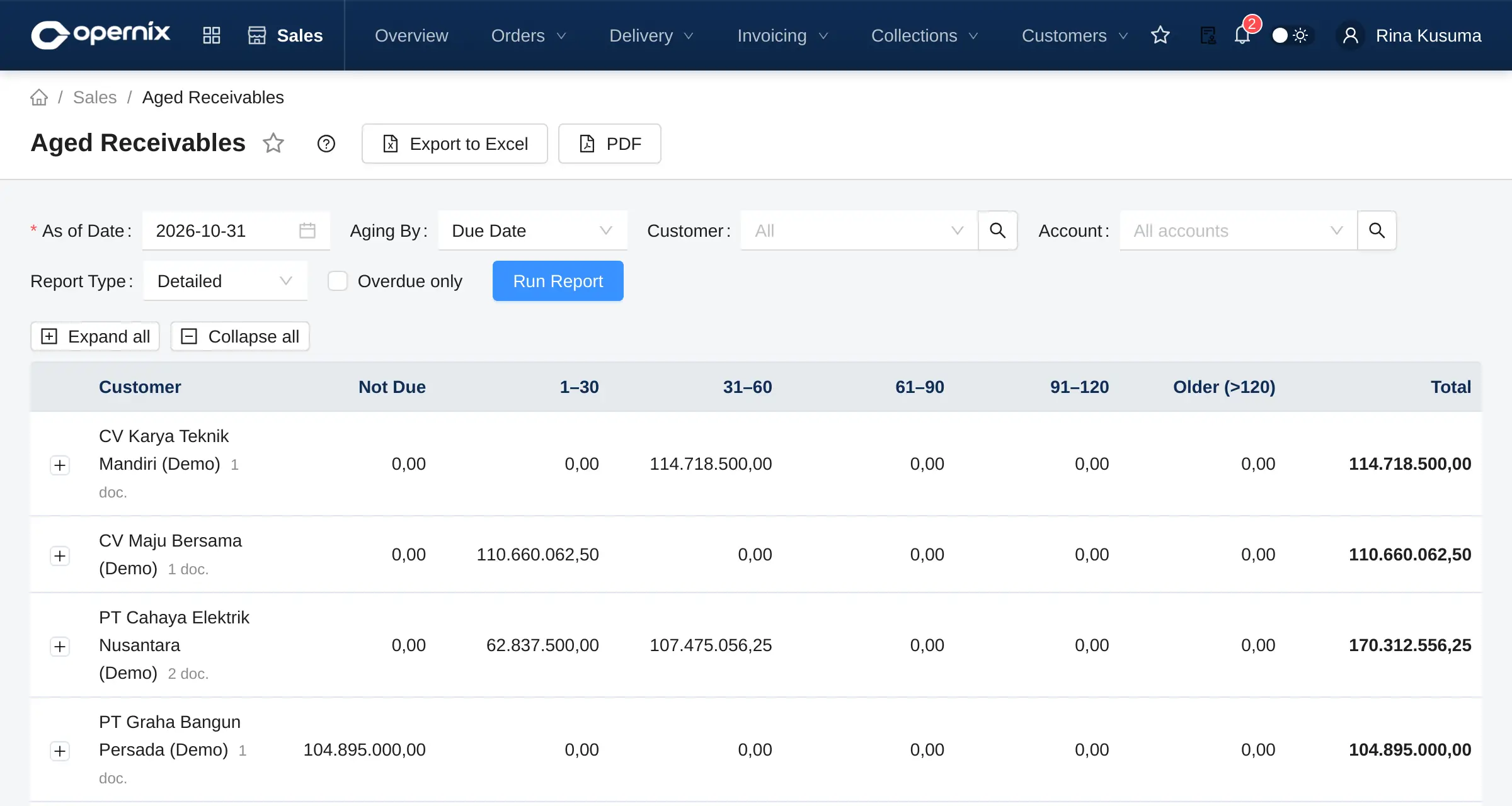
- Aged receivables and payables, checked against the ledger
- Customer and supplier ledgers and registers
- Fixed assets with monthly depreciation
- Prepaid expenses & deferred revenue (amortisation)
Period close & reporting
- Period Close Checklist with automatic checks
- Period and year-end close per branch
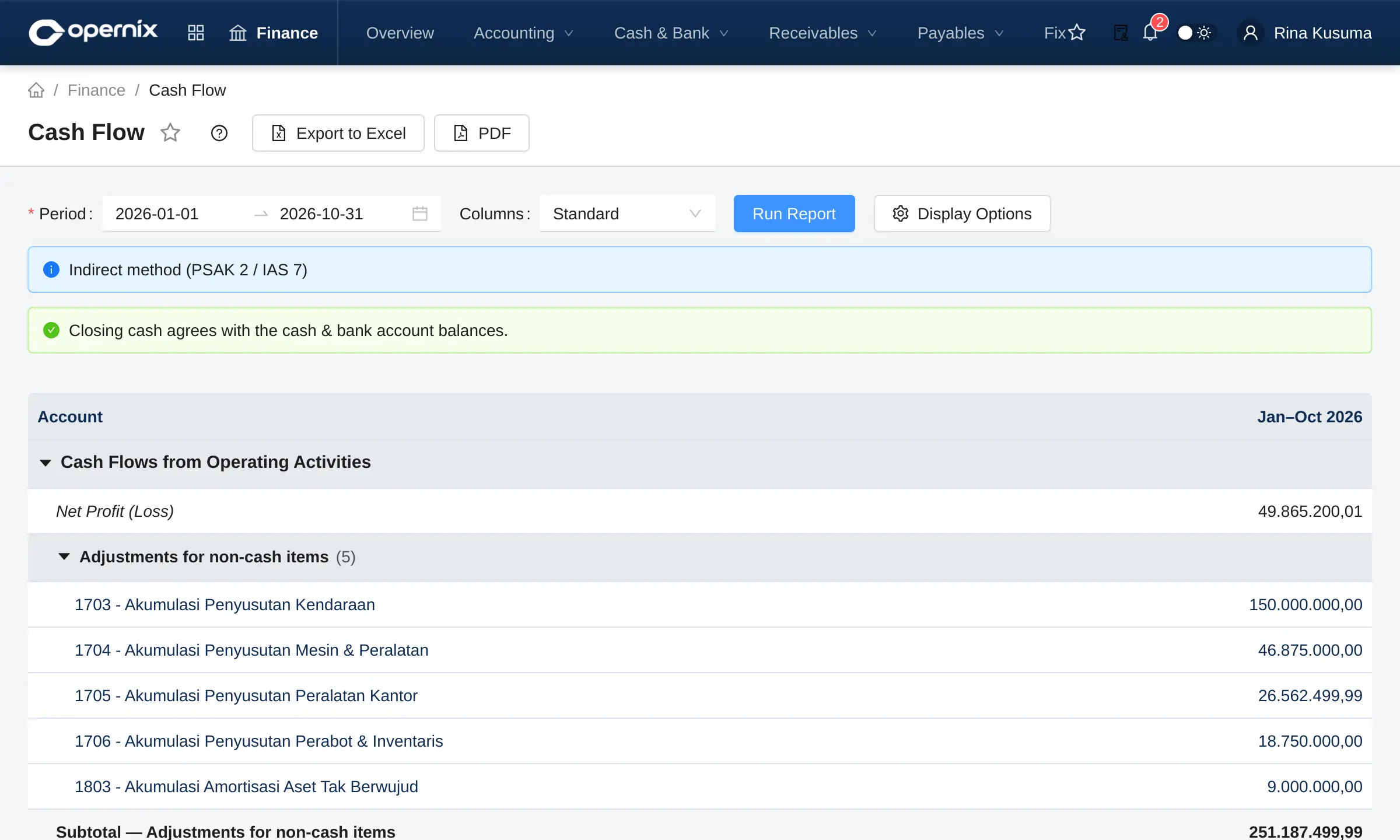
- Balance Sheet, Income Statement, Cash Flow (indirect), Changes in Equity
- Comparison with prior periods, budget, by month or by dimension
- Custom report designer; Excel & PDF export
Not yet available: consolidated reporting with intercompany eliminations. The Cash Flow and Changes in Equity reports do not yet have a branch filter.
Cash & Bank
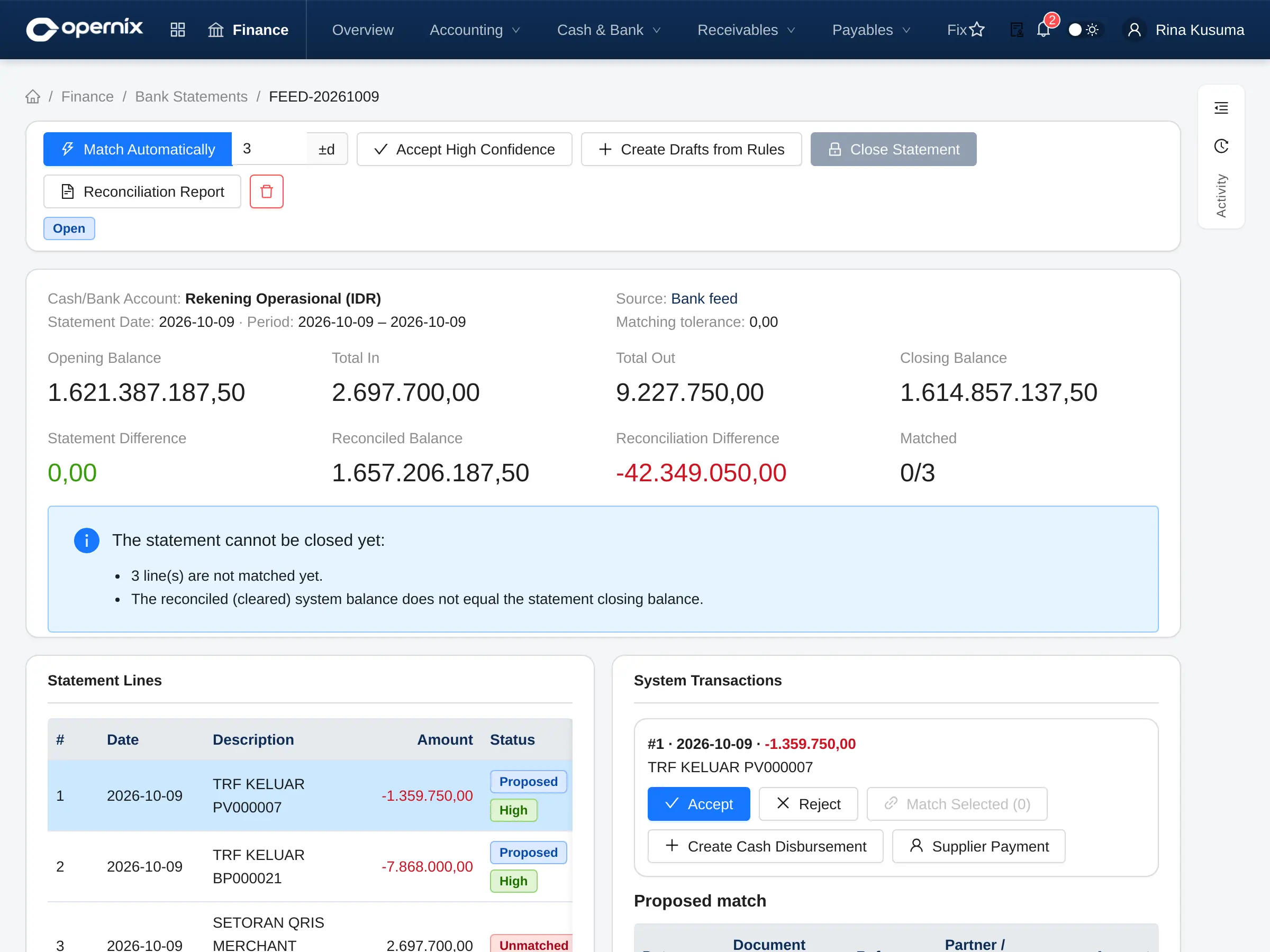
Receipts, payments and transfers between accounts, plus bank statements matched automatically against the transactions in the system.
Transactions
- Cash/bank receipts and payments with approval
- Cash/bank transfers, including across currencies
- Transaction templates for recurring expenses
- Cash & bank book per account
Bank statements
- Import statements from bank files
- Auto-match with confidence levels
- Matching rules for bank charges, interest and more
- Close a statement once every line is matched
Automatic bank feeds (add-on)
- Statement lines pulled on a schedule, no file upload
- SNAP BI (Bank Indonesia standard) or a REST aggregator
- Credentials stored encrypted
- Sync monitor and bank balance vs statement balance
Automatic bank feeds require onboarding with each bank (SNAP, key exchange, IP whitelisting and sandbox testing) before live use.
Indonesian tax
Tax data comes from transactions instead of being keyed in again. Opernix prepares and exports the data; you stay in control of filing.
PPN (VAT)
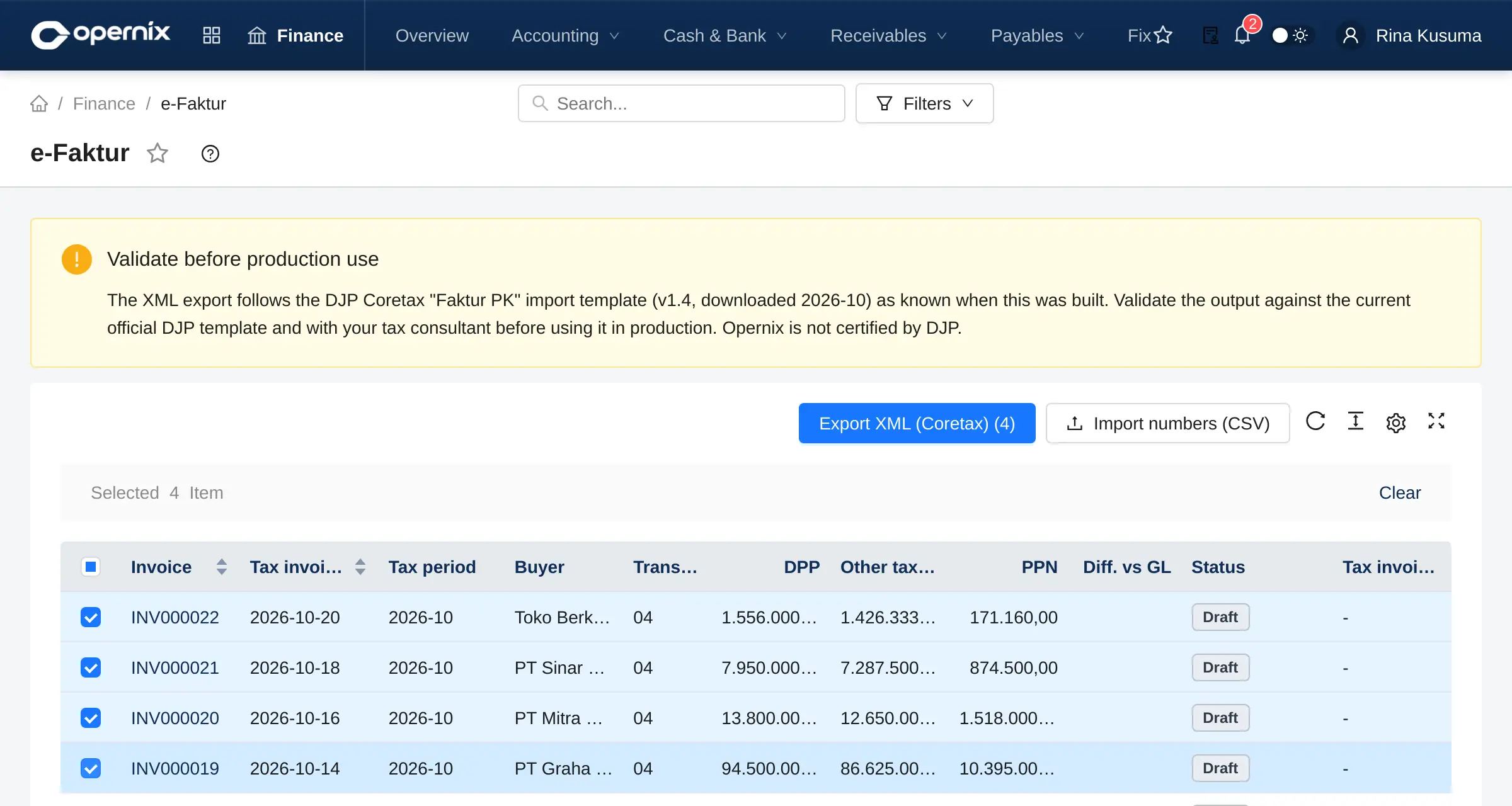
- Tax invoices (Faktur Pajak) created from sales invoices with PPN
- Transaction codes, alternative tax base (DPP Nilai Lain), replacement invoices
- Input tax invoices per tax period
- VAT report: output tax less input tax
PPh (income tax)
- Withholding slips created from payments (e-Bupot)
- Tax withheld by customers recorded as a prepaid credit
- PPh 21, 22, 23, 4(2), 15 and 26 recap checked against the ledger
- Fiscal depreciation by asset group under PMK 72/2023
Coretax
- XML export in the Coretax import format
- Import of approved tax invoice numbers
- Official tax exchange rate (KMK) for foreign-currency invoices
- Coretax PJAP add-on: submit and track status through a PJAP
Opernix is not a PJAP (authorised tax application provider) and is not certified by the DJP. The Coretax PJAP add-on requires a contract with a PJAP, and its adapter must be mapped and tested in that PJAP’s sandbox. Validate exported data with your tax consultant.
Sales
From quotation to cash received, with price control and credit control at every step.
Pricing & quotations
- Price lists, price worksheets and price simulation
- Customer item codes
- Price control with approval
- Quotations with lost reasons and win rate
Order to invoice
- Sales orders with availability check
- Sales contracts
- Deliveries, invoices, returns and credit notes
- Down-payment invoices and billing schedules
Receivables & collections
- Credit limits and credit holds per customer
- Customer payments, payment differences, early-payment discounts
- Collection list and payment reminders
- Sales analysis, open orders, OTIF
Purchasing
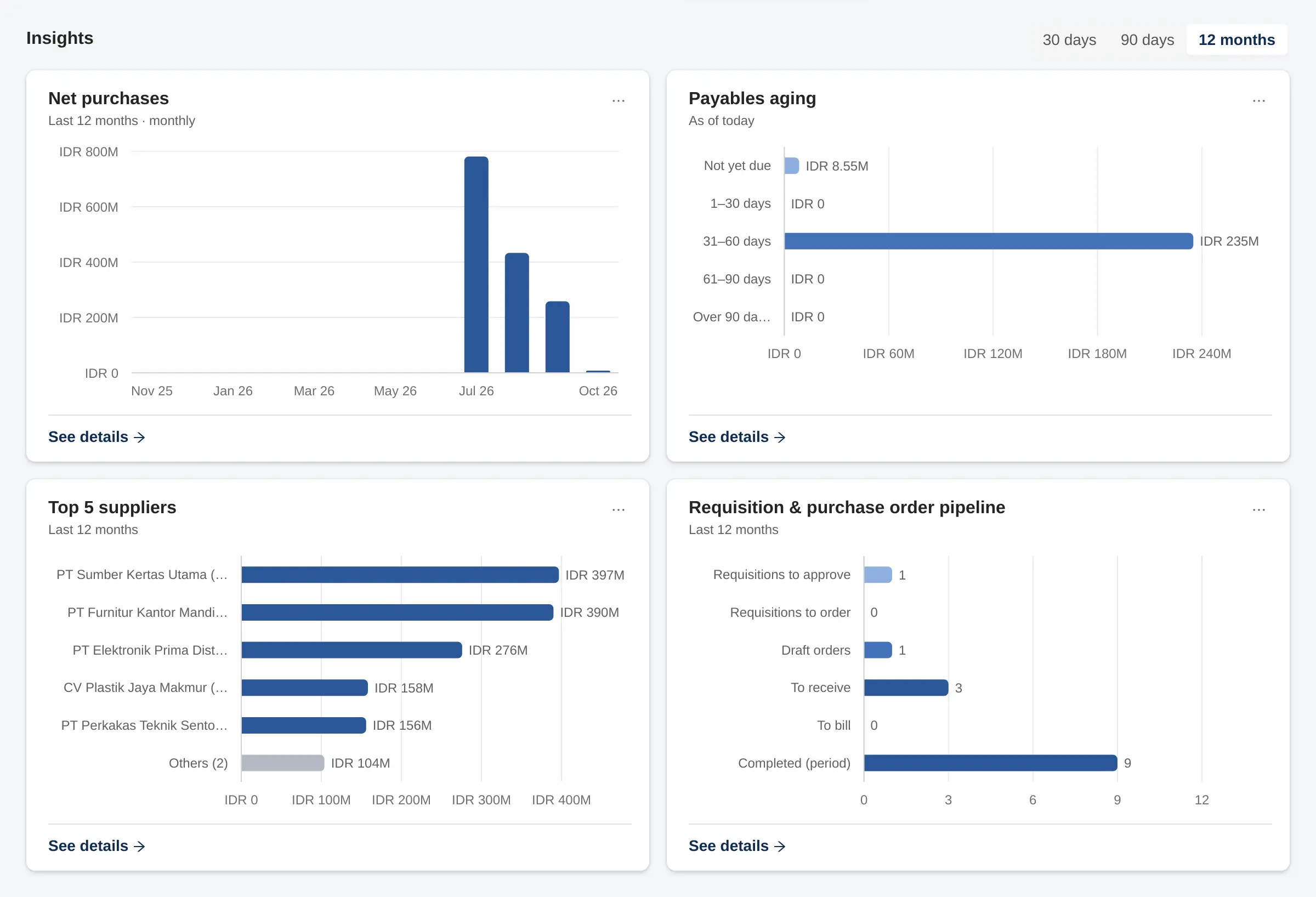
Controlled procurement: requisitions, quote comparison, budgets and a three-way match before a bill is paid.
Procurement
- Purchase requisitions, converted to RFQs
- RFQs and quote comparison
- Supplier price lists and purchase agreements
- Budget control when a PO is confirmed
Receipts & bills
- Goods receipts per warehouse and location
- Supplier invoices with three-way match
- Down-payment bills, returns, credit notes
- Landed costs added to inventory value
Payables & reports
- Supplier payments with payment holds
- Aged payables and supplier ledger
- Goods received not invoiced, checked against the account
- PO status, budget commitments, purchase price history
Inventory
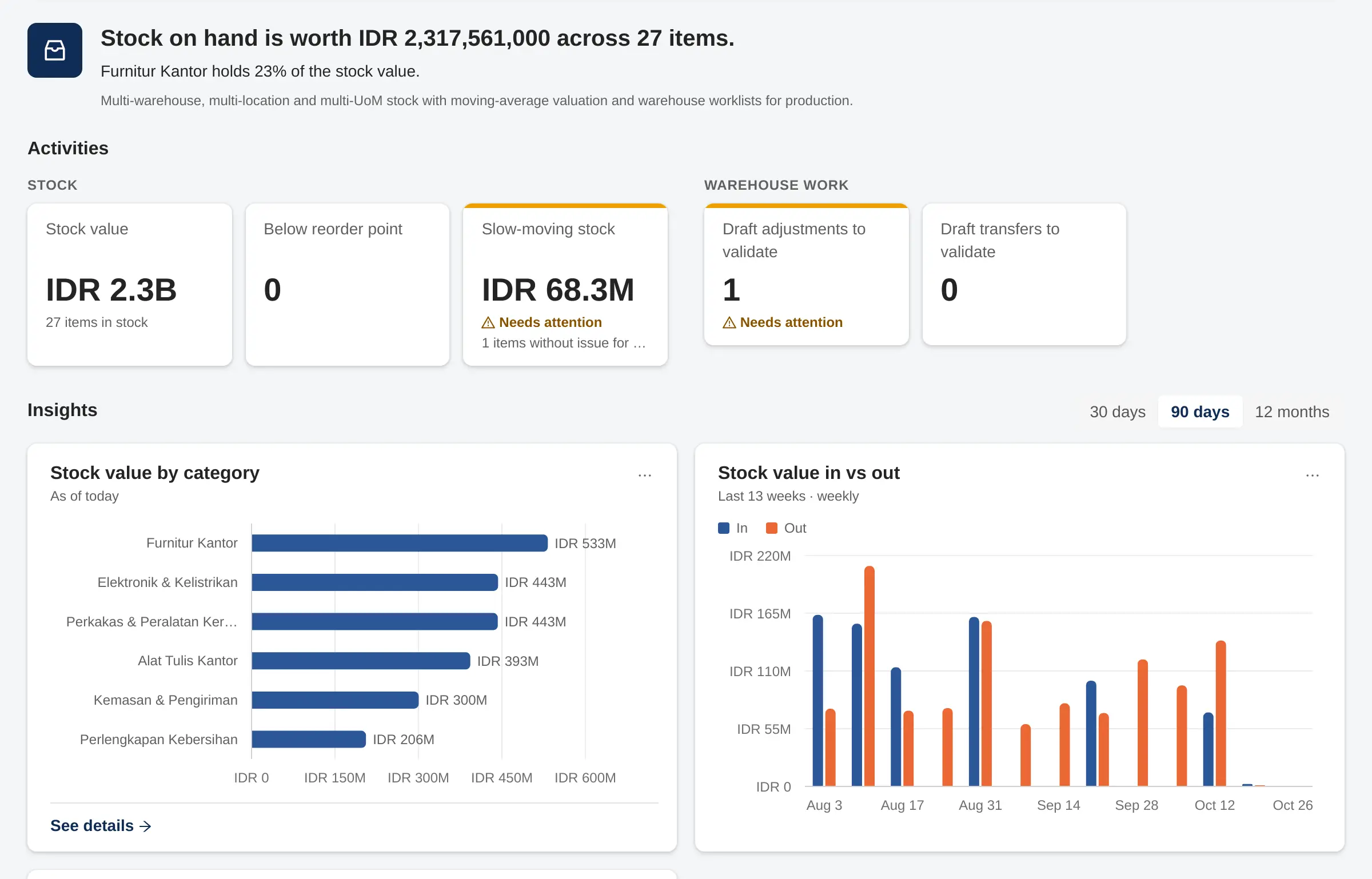
Stock you can trust: every movement is recorded per warehouse and location, and its value always matches the general ledger.
Warehouses & items
- Warehouses and multi-level locations
- Categories, goods & services, multiple units with conversion
- Moving average, standard or FIFO (cost layers) costing
- Barcodes and scanning
Stock movements
- Direct or two-step transfers (in transit)
- Stock adjustments and write-offs
- Stock counts with tolerances and blind counting
- Lots and serial numbers
Consignment & reports
- Customer and supplier consignment
- Stock card and stock movements
- Availability: reserved, incoming, projected
- Inventory valuation
Manufacturing & Quality Control
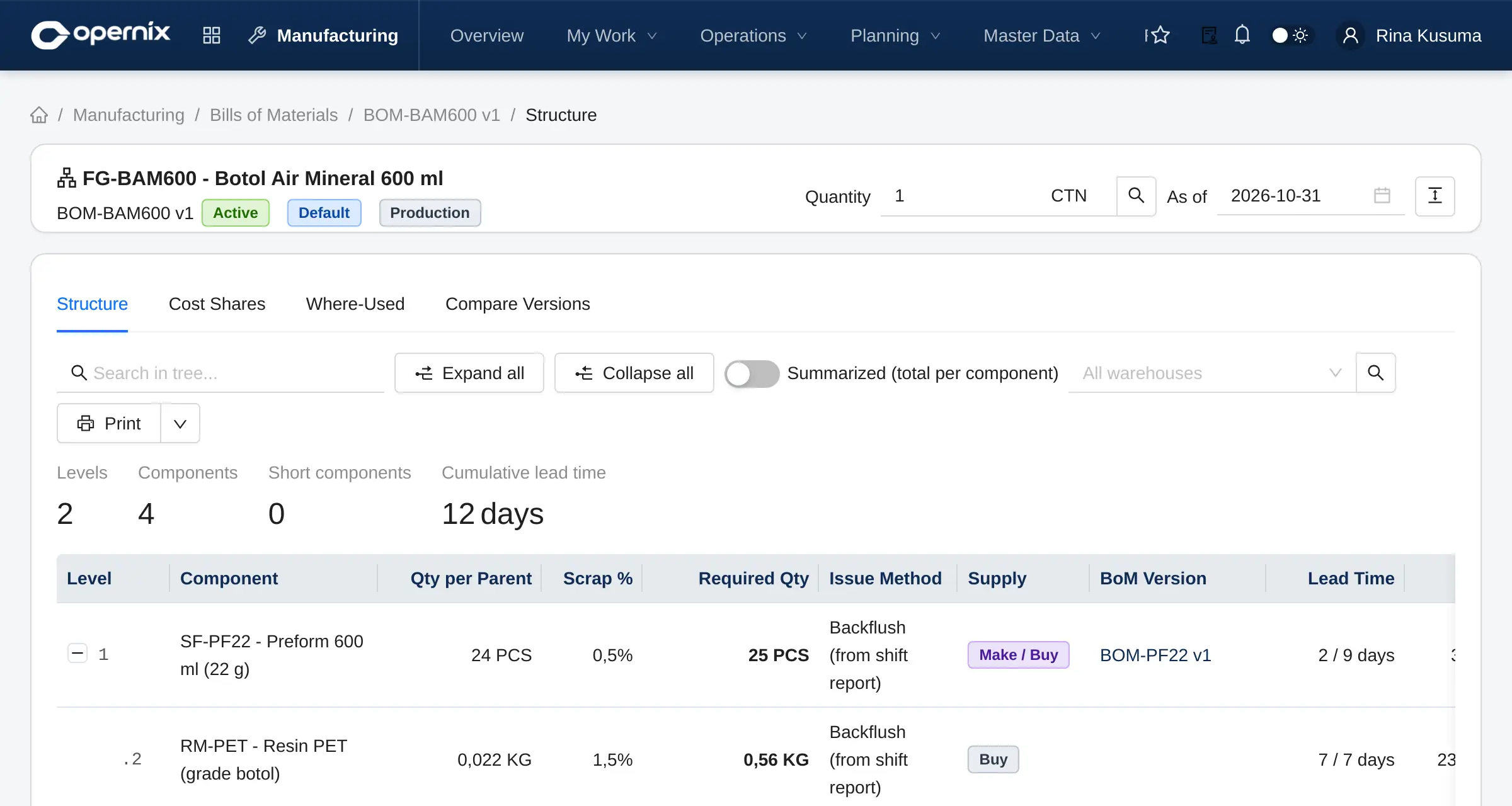
For discrete manufacturing and assembly: plan, record actual output per machine and shift, then carry actual costs into inventory and the ledger.
Master data
- Multi-level BoMs with versions
- Work centres, machines and tooling (moulds, dies, fixtures)
- Routings per operation and capacity strategies
- Shifts, reject reasons, downtime reasons
Planning & production
- Material requirements and MRP worksheet
- Forecasts, planning parameters, work calendar
- Production orders, material requests & issues
- Shift production reports (LPS), subcontracting per operation
- Production board and shop-floor monitor
Costing & quality
- Actual costs through work in progress
- Normal and abnormal losses, variance analysis
- Standard cost calculation and cost close
- QC: incoming (IQC), in-process (IPQC, checksheets), final (FQC) and dispositions
Platform & administration
The same foundation in every module, for consistent internal control and a faster implementation.
Companies & access
- Multi-company and multi-branch
- A branch on every journal entry, year-end close per branch
- Roles with a permission matrix per company
- Separate Super User and company administrator
Document control
- Draft, then Confirm or Validate
- Cancellation (void) with a reason, reversing entries and a cancellation log
- Approval Matrix with delegation
- Numbering series and document types per company
Data & reporting
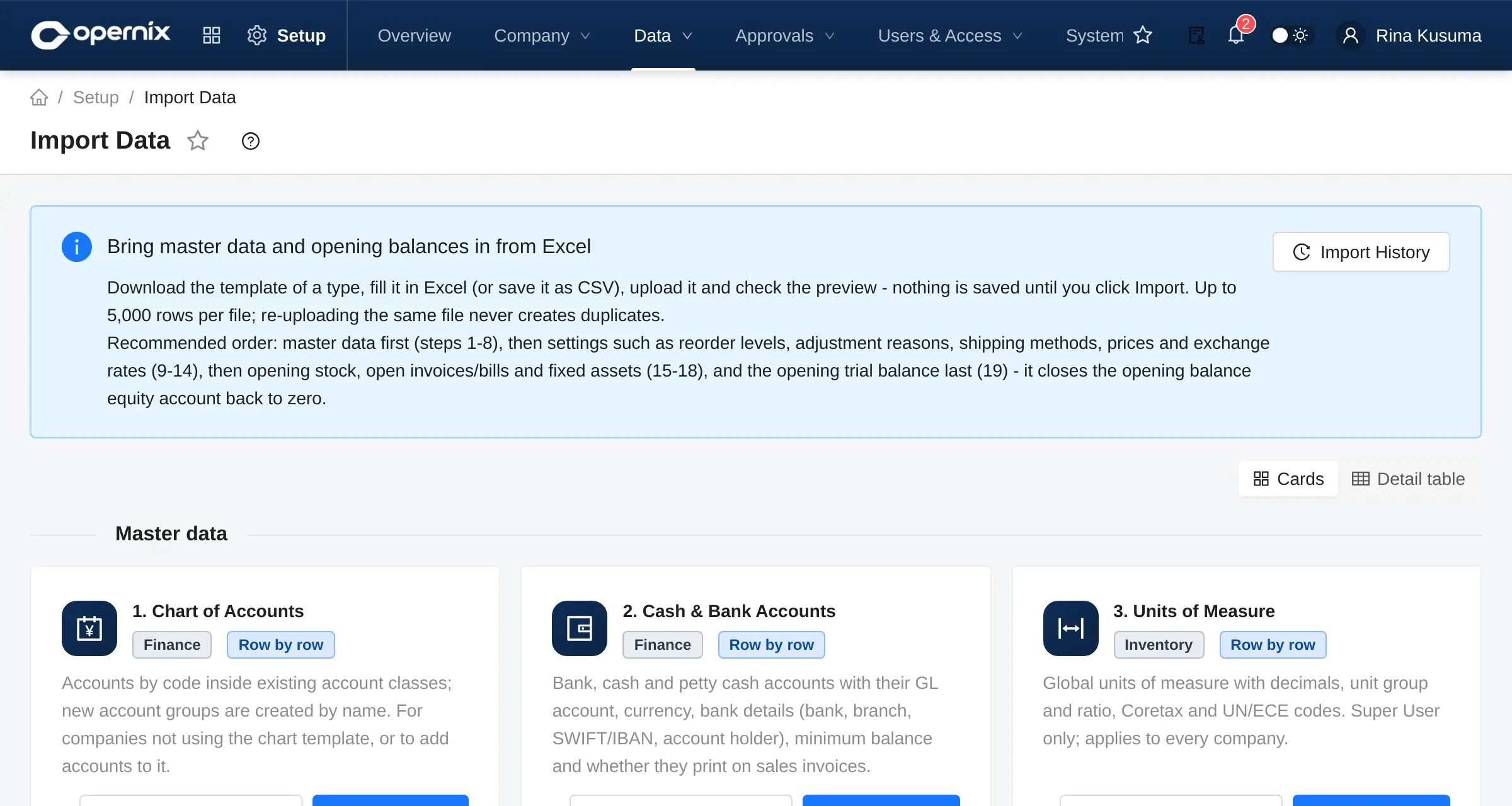
- Data Import from Excel templates with preview
- Import history and error reports
- Report export to Excel and PDF
- Indonesian and English interface
HR, Attendance & Payroll Add-on
Employee records, leave, shifts and attendance feed a monthly payroll that posts straight to the general ledger.
Employees & leave
- Employees, departments, job positions
- Leave types, allocations, requests and approval
- Self-service: schedule, leave, payslips
- Self clock-in with GPS and selfie (optional)
Attendance & shifts
- Shifts, rotations and shift roster
- Attendance from devices, file import or manual entry
- Daily evaluation: late, early leave, overtime
- Exceptions, attendance corrections and overtime requests
Payroll
- Pay components and payroll groups
- PPh 21 TER (employee income tax), gross / gross-up / net
- BPJS health and employment, THR holiday allowance
- Posting to the ledger, bank transfer file, e-Bupot PPh 21 export
Statutory parameters (TER rates, BPJS) are stored in effective-dated tables so they can be updated when regulations change. Validate the results with your tax consultant.
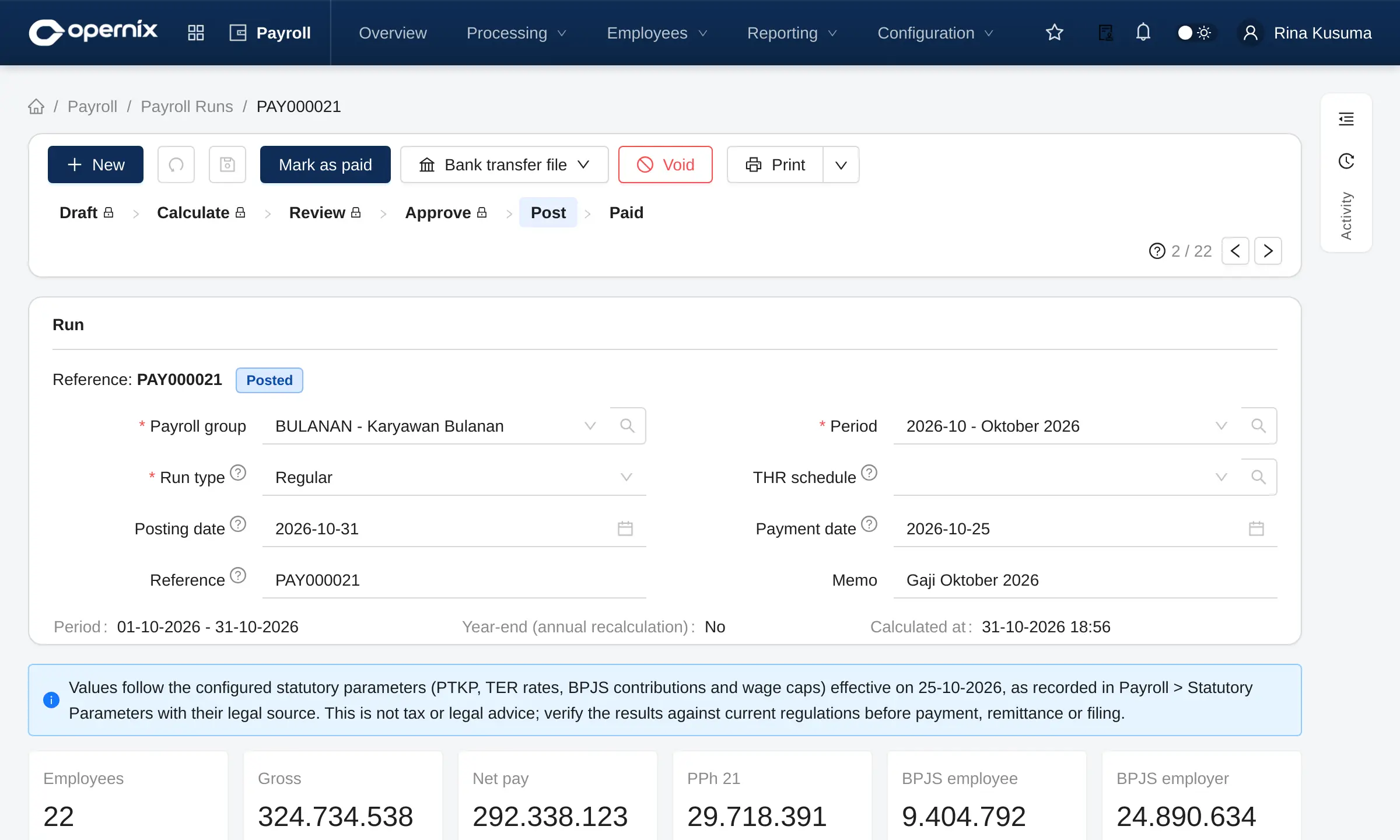
Maintenance (CMMS) Add-on
Machines, moulds and utilities are recorded as equipment. Breakdowns are reported from the shop floor, preventive maintenance is scheduled automatically, and the costs reach the ledger.
Assets & equipment
- Functional locations and equipment
- Meters and measuring points (running hours, shot count)
- Failure catalogue and task lists
- Teams and technicians
Work
- Breakdown reports and maintenance requests
- Work orders: spare parts, external services, labour time
- Preventive plans by time or by counter
- Planning board and a My Work view for technicians
Reporting
- MTTR, MTBF and PM compliance
- Downtime and breakdown counts
- Maintenance costs with dimensions
- Capitalisation to fixed assets
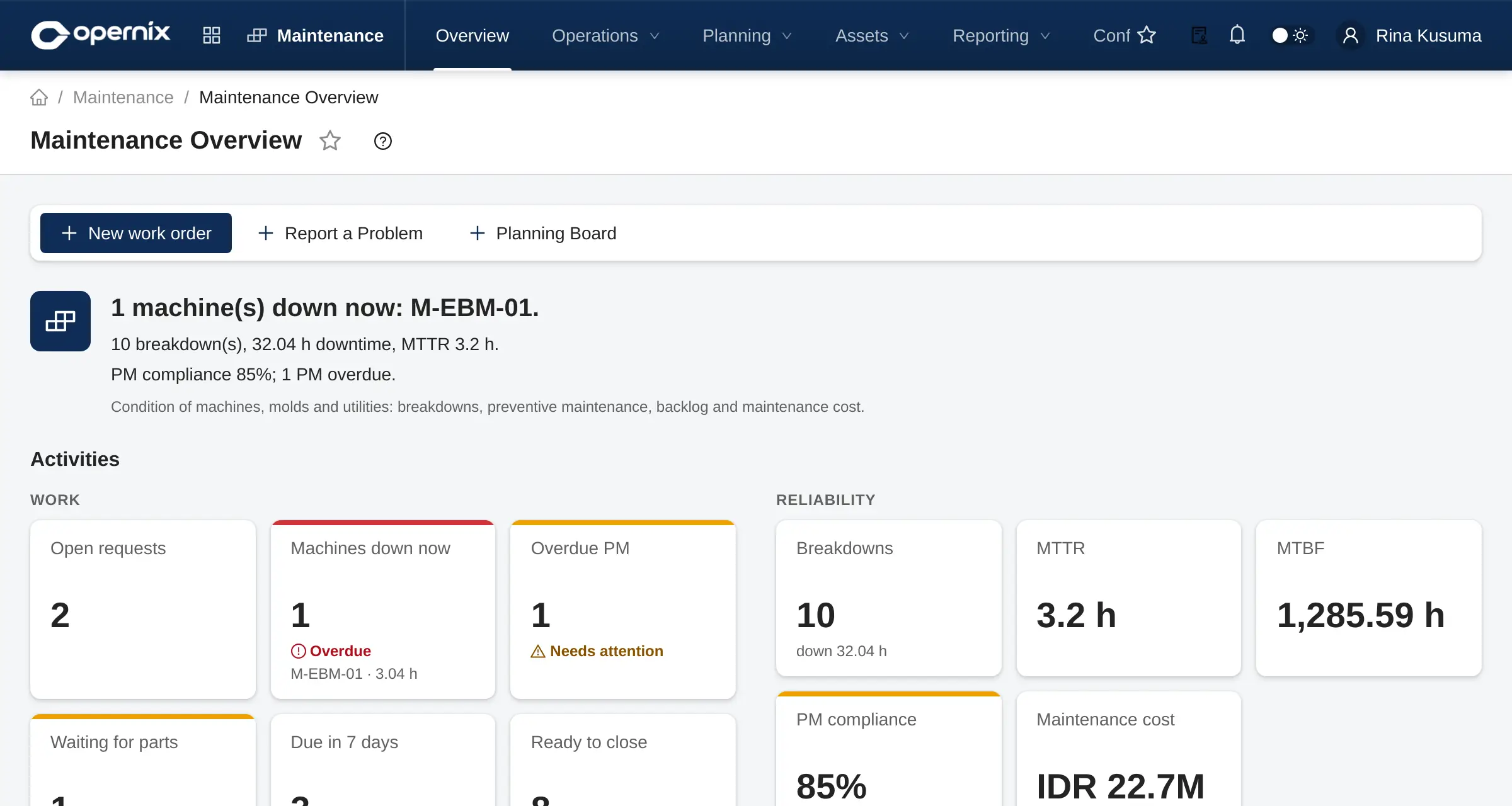
CRM Add-on
Every prospect is recorded with its source and campaign, tracked through the pipeline, and turned into a sales quotation in one click.
Leads & opportunities
- Leads with duplicate check and merge
- Kanban pipeline with probability and weighted value
- Conversion to a sales quotation
- Lost reasons
Activities & teams
- Calls, visits, appointments, follow-ups
- Activity calendar and My Activities
- Sales teams and targets
- Campaigns
Commissions & reports
- Marketing partners / agents with tiered commission rules
- Commissions billed through supplier invoices
- Funnel, forecast, targets, win/loss
- Commission report
Not yet available: e-mail and calendar integration, web-to-lead forms, lead scoring and a mobile app.
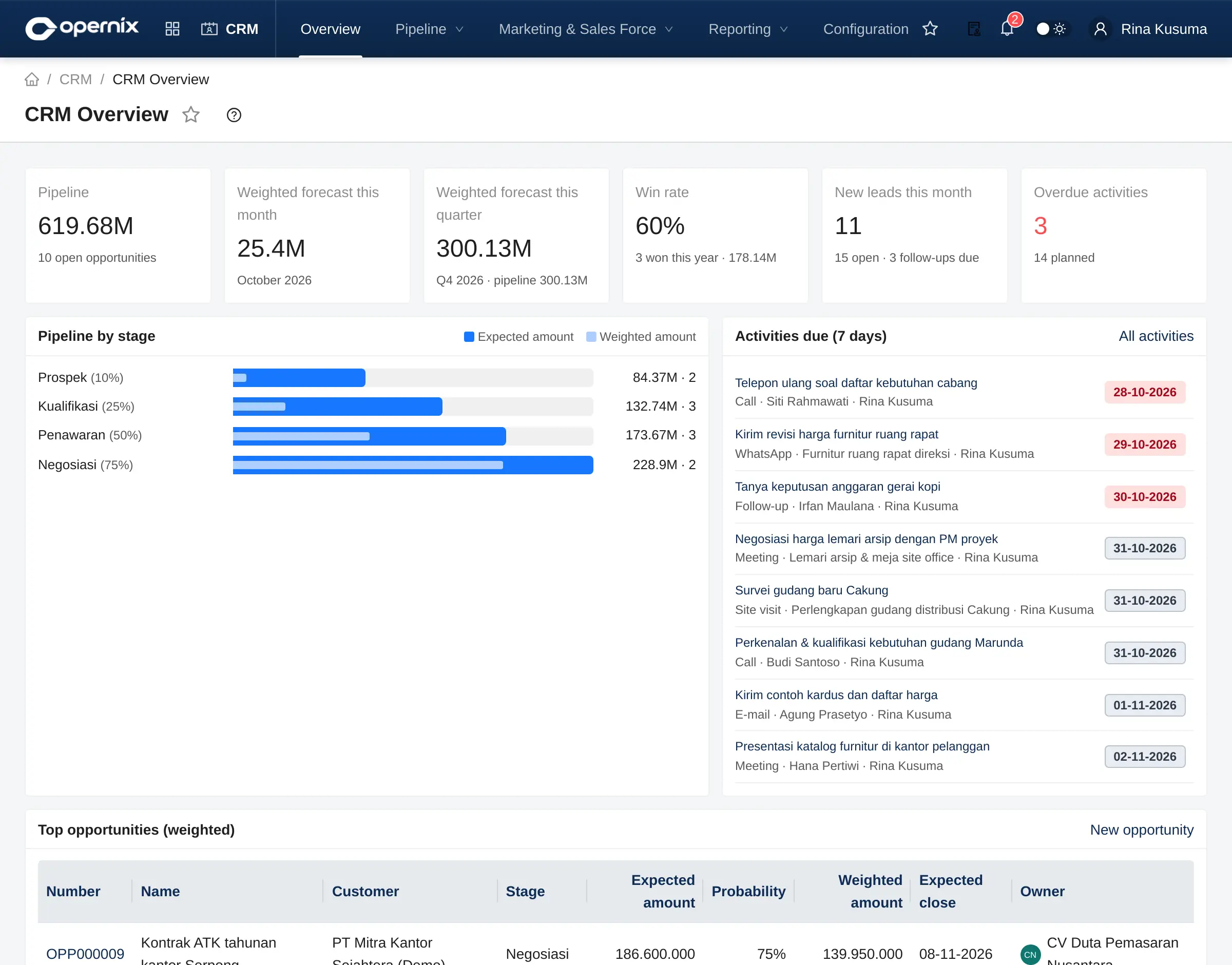
Projects Add-on
Customer, internal, capex and construction projects: a work breakdown, an approved budget, and costs collected per element.
Structure & budget
- WBS elements and project templates
- Budgets (RAB) per cost item with versions and revisions
- Budget control: warn, block or require approval
- A project dimension on every journal entry
Subcontractors & costs
- Subcontract work orders (SPK) and progress certificates
- Retention, billed through supplier invoices
- Purchases and material issues to WBS elements
- Capex settlement to fixed assets
Billing & reporting
- Milestone billing to customer invoices
- Physical progress, S-curve, earned value (CPI, SPI)
- Budget vs actual per element
- Timeline
Not yet available: timesheets, task dependencies and automatic scheduling, and percentage-of-completion revenue recognition.
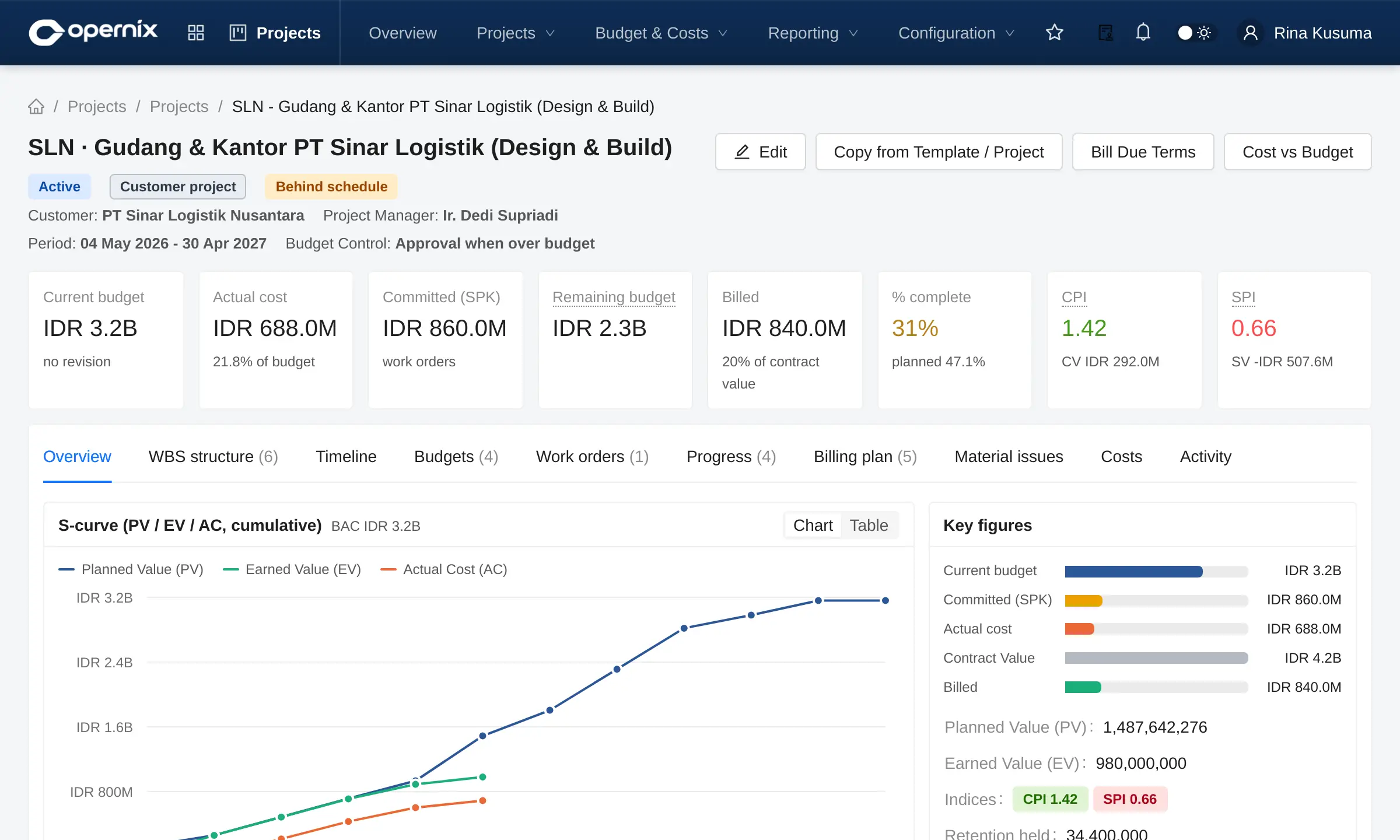
Property Developer Industry pack
For developers of landed housing and apartments: from land and units, through marketing and mortgages, to handover and after-sales. This pack also installs CRM and Projects.
Product & marketing
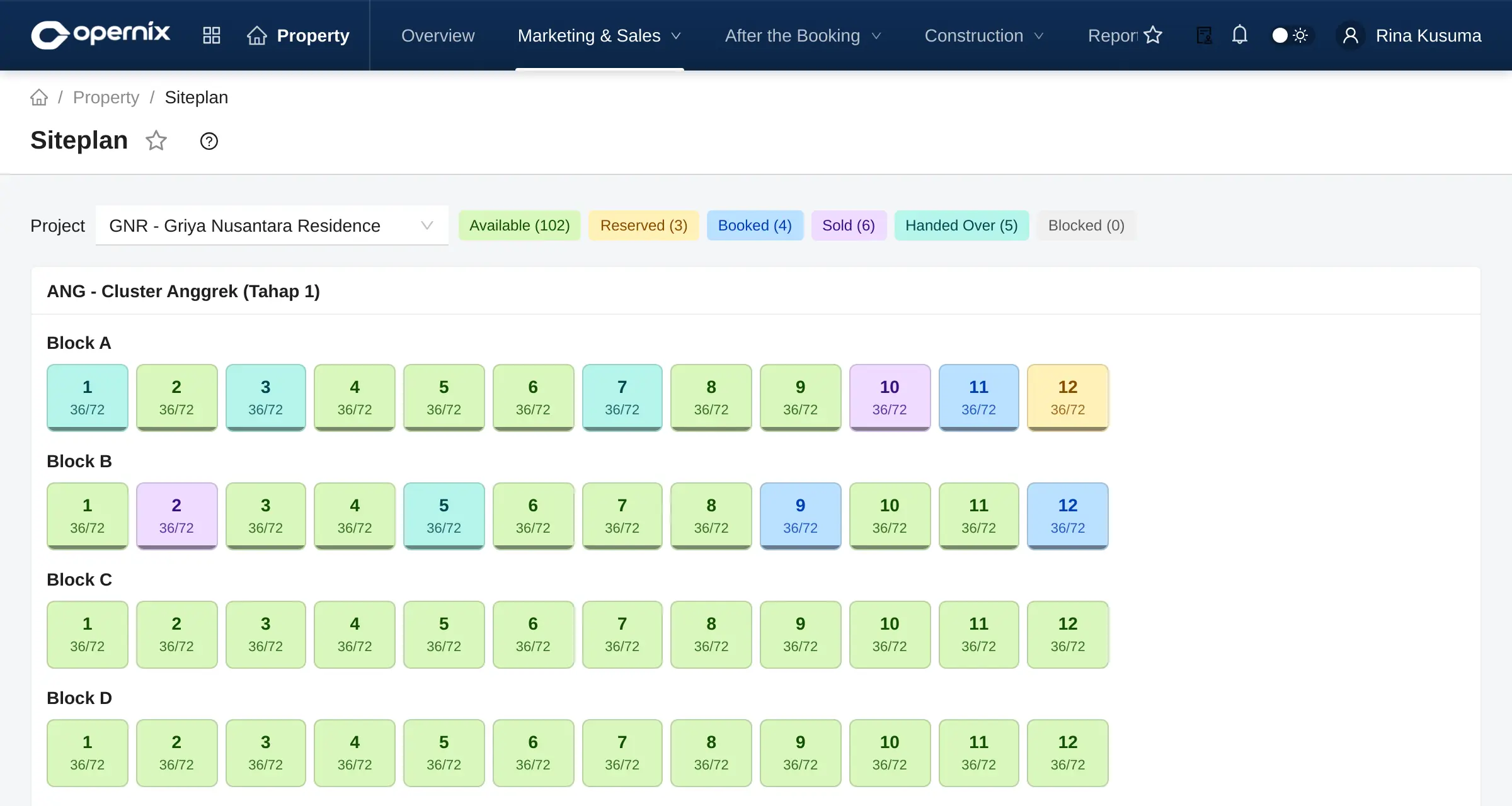
- Projects, clusters, blocks, units and a site plan
- Land parcels and permits
- Price lists with escalation and promotions
- Reservations (NUP / booking fee) and booking agreements (SPR)
Payments & mortgages
- Payment schedules: cash, instalments, staged mortgage (KPR)
- Virtual accounts and late-payment fees
- Mortgage process: SLIK, SP3K, signing, insurance
- Sale agreements (PPJB / AJB) and certificates
Handover & after-sales
- Handover (BAST) with revenue recognition
- Final income tax (PPh Final 4(2))
- Tiered commissions
- After-sales complaints and estate service charges (IPL)
Not yet available: over-time revenue recognition, an interactive image-based site plan, printed SPR/PPJB/BAST documents, a customer portal and WhatsApp reminders.
Manufacturing industry packs Industry pack
Extend the Manufacturing module with the terminology, fields and capacity calculations used in specific industries.
Plastics & Packaging
- Moulds with total and active cavities
- Capacity based on cavities and cycle time
- Shot counter and regrind
- Masterbatch percentage helper on BoM lines
- Plastics-specific reject reasons
Automotive Stamping
- Press machines: tonnage, bed size, SPM
- Dies: parts per stroke, sharpening interval
- Minimum tonnage check and SPM-based capacity
- Blank weight per part helper
- Customer part number, revision and drawing on printouts
How it works
- Installed as an add-on on top of Manufacturing
- Enabled per company
- Core data stays in the Manufacturing module
- Combines with Maintenance for moulds and dies
Want a closer look at a specific module?
Mention the modules you are interested in on the demo form. We will prepare a scenario close to your own processes.